

On this page
Every night
When a settlement is raised
A job runs every night at 02:00 IST. An order qualifies once it is Delivered (or finished as a return, exchange or return-to-seller) and the hold has passed since the delivery date. The hold is seven days, the same as the return window: a settlement is never raised for an order a customer can still send back. Orders returned to you by the courier (RTO) are not held.
The job then raises one settlement per seller for each calendar day of orders, numbered in the form STL/2627/000001 for the financial year.
Finance · Settlements
The Settlements screen
Three tiles, three filter pills and one row per settlement.
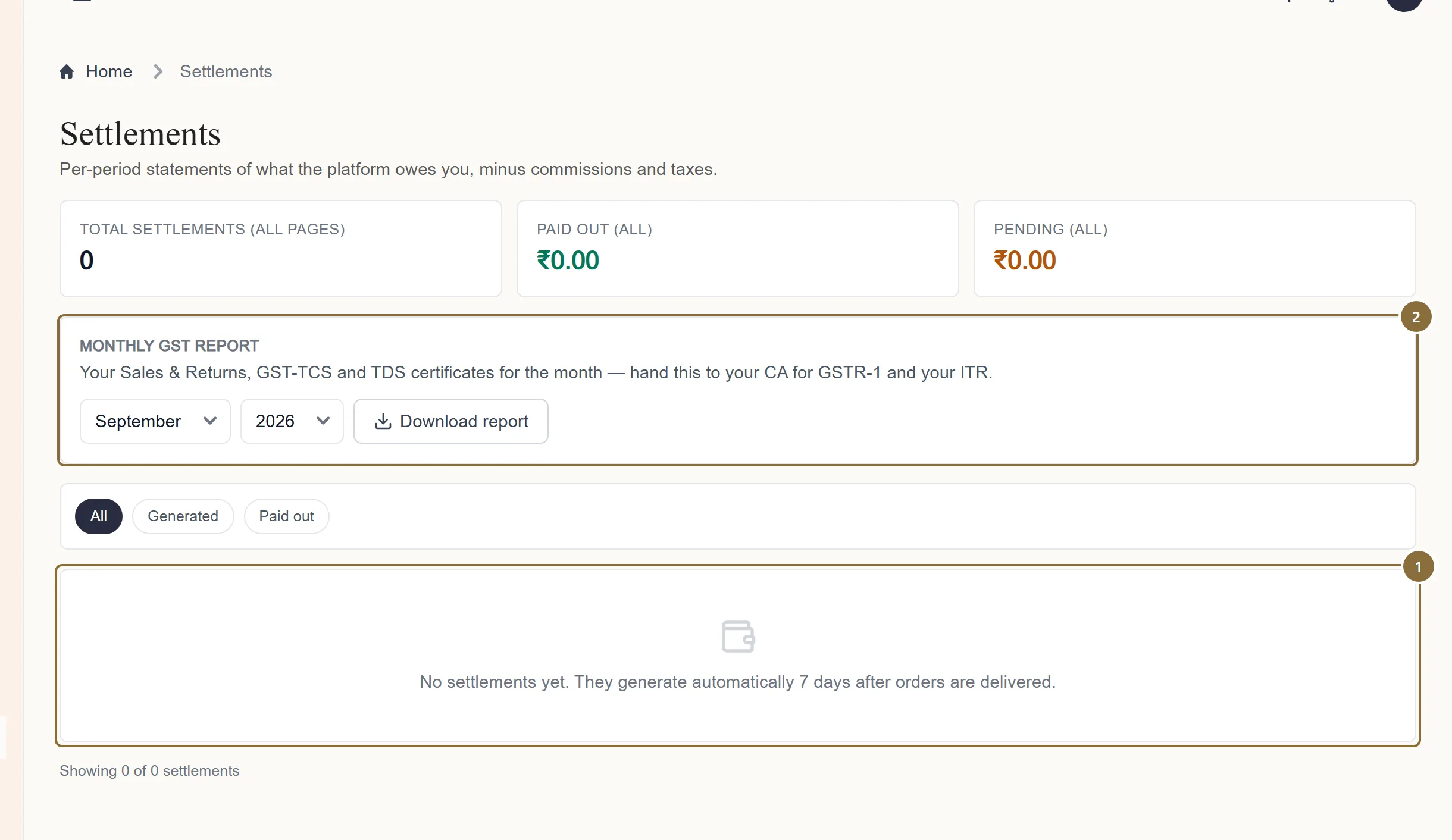
Settlement list
Settlement #, period, status, number of orders, gross, net payable. Click a row to open its breakdown. The tiles above count all settlements and sum the current page.
Monthly GST report
Pick a month and year and press Download report; see step 4.
Finance · Settlements · row
Reading a settlement
The expanded row lists, in order: gross product value, the commission, the settlement fee (with its rate, or one line per rate if the orders were paid in different ways), shipping recovered, customer return fee, RTO charges, GST on fees, TDS and TCS with their rates, and Net payable to you.
Shipping recovered is the actual courier cost for those orders, passed through at cost. The commission and fee rates are the ones in your seller agreement, downloadable from your Profile.
Net payable = gross − deductions − GST on deductions − TDS and TCS. The bank account on the settlement is the one on your Profile at the moment it was raised.
Generated · Paid out
The two statuses
Generated means raised and owed: the figures are final and the payout is being prepared. Paid out means the money has been transferred. The transfer reference (UTR) is recorded against the payout line in your ledger.
Finance · Settlements · Monthly GST report
The monthly GST report
An Excel workbook for one finished month: a READ ME sheet for your accountant, Sales & Returns, a GST-TCS Certificate, a TDS Certificate, and a note on returns that cross months. Download it on the 1st for the previous month; a month that has not ended cannot be downloaded. A return is reported in the month it happens, not the month of the sale.
The file is named Meradh_GST_<your brand>_<month>-<year>.xlsx. Hand it to whoever files your GSTR-1 and your income tax return.
Afterwards
What happens next
Bank details missing or wrong
A payout cannot be completed if the account holder, number, bank or IFSC is blank on your Profile. Complete the Bank account section and the settlement is regenerated with the right details.
A figure looks wrong
Raise a ticket with the settlement number. The ledger lines for that settlement show each deduction; compare them to the breakdown first.
Keep these
Rules and common mistakes
- Keep the bank account on your Profile current.
- It is copied onto the settlement when it is raised, and a payout to a blank or wrong account stalls.
- A returned or cancelled order is not settled.
- Settlements are raised only after the return window; a line that comes back is left out, and a refund already paid appears in the ledger.
- Download the GST report after the month ends.
- It covers a whole month and is refused for a month still running.
In short
Questions sellers ask
- How often am I paid?
- Orders become payable seven days after delivery and are settled by the nightly job, one settlement per day of orders. The transfer follows once the settlement is approved.
- Where are the commission and fee rates?
- In your seller agreement, downloadable from Profile → Marketplace agreement, and printed on each settlement's breakdown.
- Is there a PDF of the settlement?
- Not at the moment. The breakdown on screen and the ledger lines are the record; the monthly GST workbook is the document for filing.
Related guides
Reading your ledger
What each line type means, how a settlement's lines add up to its net, how a payout and a refund appear, and how to filter the ledger by type and date.
From order to pickup
The order pipeline and its tabs, accepting an order and the parcel prompt, the automatic courier booking and label, tracking, cancellations, returns to seller and the invoice.
Returns and exchanges
The return window, the queue, what the customer sends you, approving or rejecting each line, offering an exchange, the reverse pickup, and when the refund reaches the ledger.
Profile and pickup address
The sections of the Profile page, the business name customers see, how a pickup address change is checked with the courier before it is saved, bank details, documents, vacation mode, brands and the agreement.