

On this page
Account · Profile
The page
Left: Business identity, Pickup address, Owner, Bank account, Identity & bank documents, About the brand. Right: Vacation mode, Wallet + storefront, Brands, Marketplace agreement, Legal & Policies, Contact.
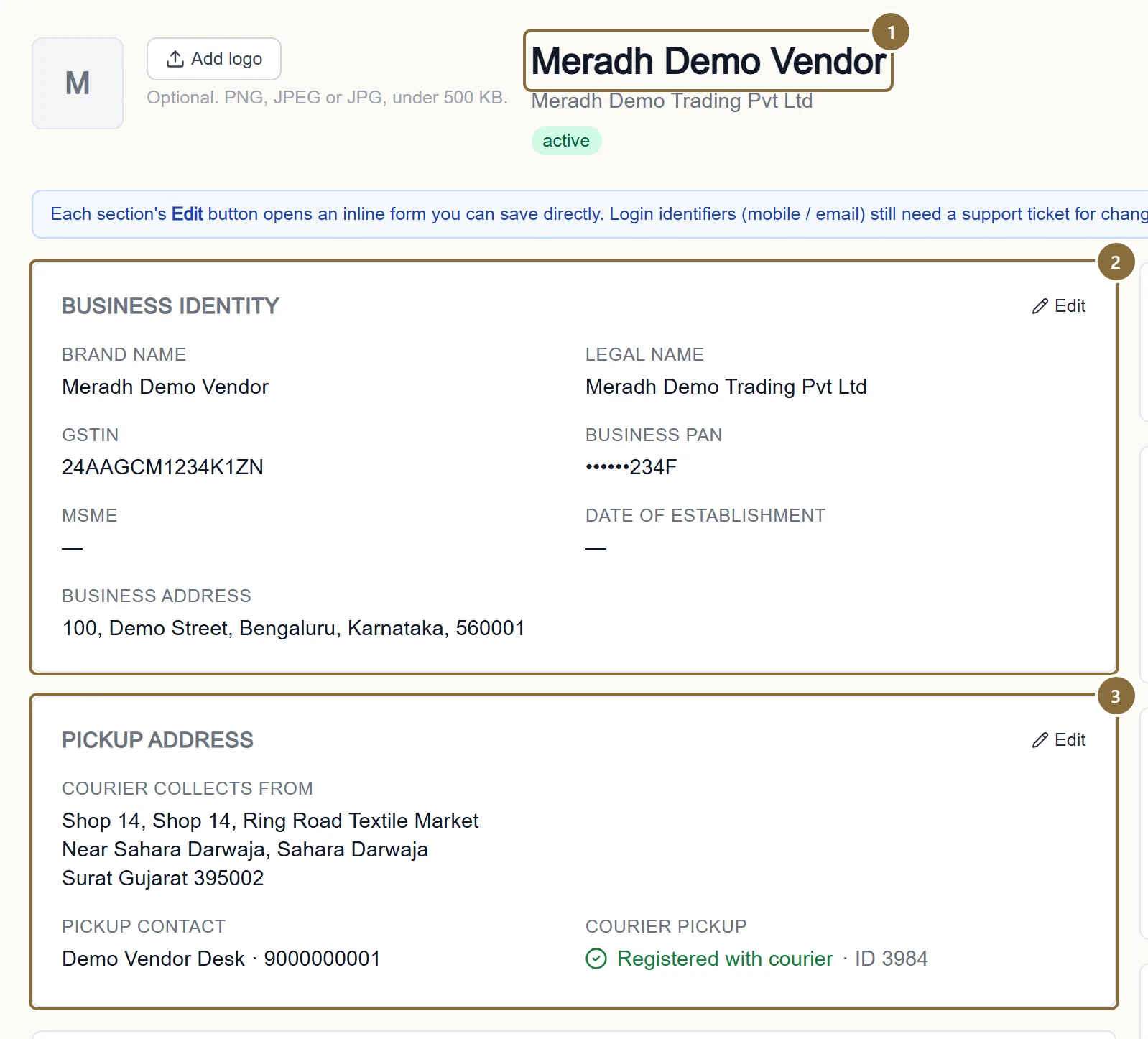
Brand name
Your label on the store: it is printed above every product and names your label page. Required; no two sellers can share one.
Business identity
Legal name, GSTIN, MSME, date of establishment and the business address. The business PAN is read from the GSTIN. A GSTIN must pass the check digit and its state must match the business address.
Pickup address
Where the courier collects, the contact printed on the label, and whether the address is registered with the courier.
Profile · Pickup address · Edit
Changing the pickup address
The courier is asked before anything is saved. As you type the pin code the panel checks it live and shows "Courier area: CITY, STATE · N couriers pick up here", or a red note if no courier collects there, which disables Save. On Save the new address is registered with the courier first; if the courier refuses it, nothing changes and the reason is shown.
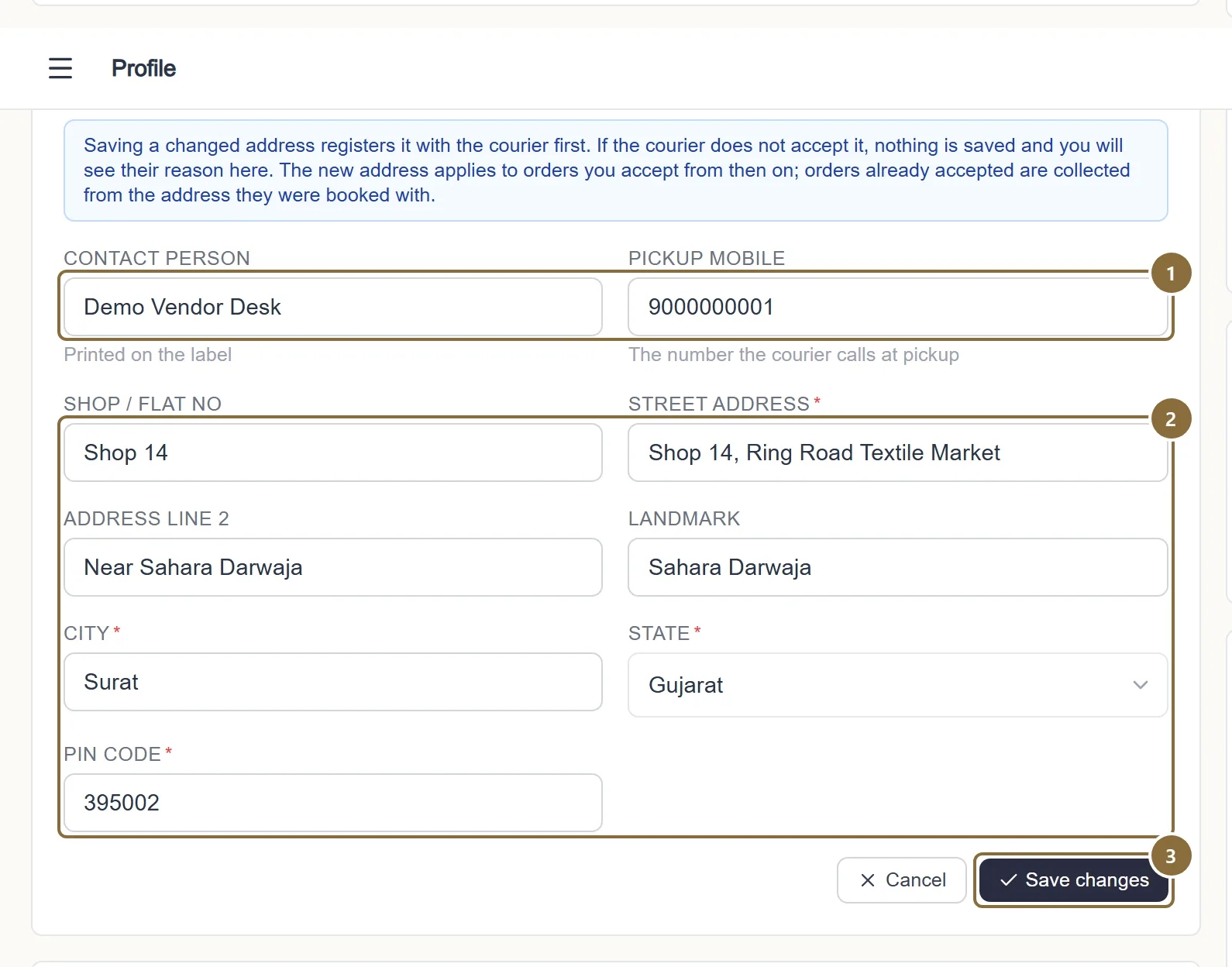
Contact person and pickup mobile
Printed on the label; the number the courier calls at pickup. Must start 6 to 9.
Street address, city, state, PIN code
The 6-digit pin code is checked with the courier as you type.
Save changes
Registers the address with the courier, then saves. A refusal saves nothing and your orders keep the current address.
Profile · Owner / Bank account / Identity & bank documents
Owner, bank and documents
Owner: name, Aadhaar, PAN and address. Aadhaar, PAN and the account number are shown masked (••••1234); leave the mask to keep the value, type a new one to replace it.
Bank account: account holder, account number (9 to 18 digits), bank, IFSC and type. This is the account copied onto every settlement; keep it current, because a payout to a blank or wrong account stalls.
Identity & bank documents: PAN card, Aadhaar front and back, cancelled cheque or passbook (required), GST certificate (required with a GSTIN), MSME certificate and business address proof (optional). PDF, JPG, PNG or WEBP up to 5 MB each; each row shows Verified, In review, Rejected or Required, with Upload, Replace and View.
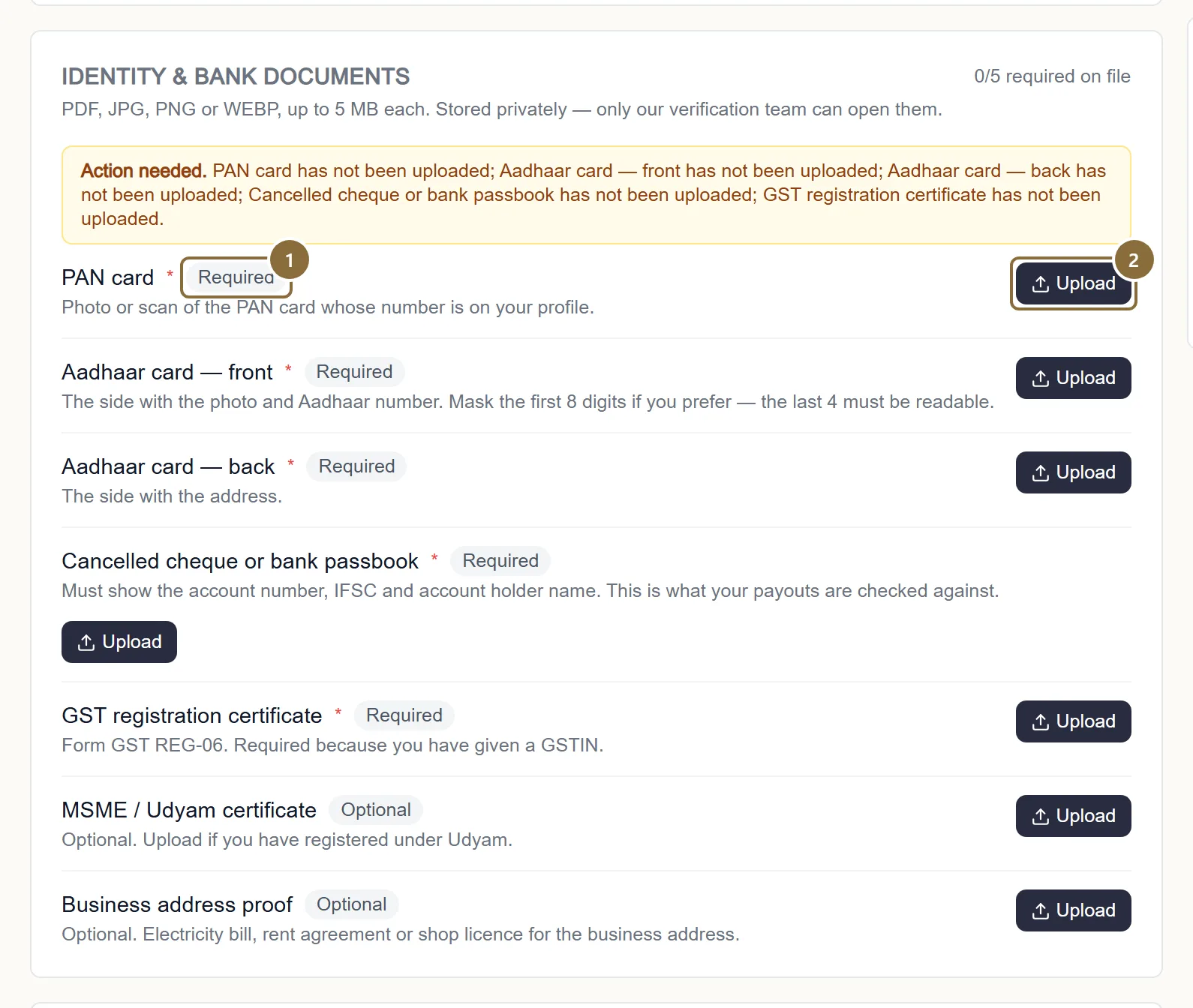
Status chip
Verified documents cannot be deleted; a Rejected one shows the reviewer's note and needs a Replace.
Upload, Replace, View
Stored privately; only the verification team can open them.
Profile · right column
Vacation mode, brands and the agreement
Vacation mode. While it is on, your storefront is hidden from customers and you stop receiving new orders; existing orders continue normally. Turning it on asks you to confirm; turning it off is immediate.
Brands. Your label, the other brands you list with their product counts and status (Approved, Awaiting approval, Not approved), and your brand requests with the reviewer's note. You request a brand from Add Product, "Selling another brand that isn't listed? Request it", by typing the name exactly as printed on the label. A pending brand cannot be used on a listing until it is approved.
Marketplace agreement. Download the current seller agreement as a PDF: the commercial terms as configured for you today. If you have a signed copy on file, it is linked beside it.
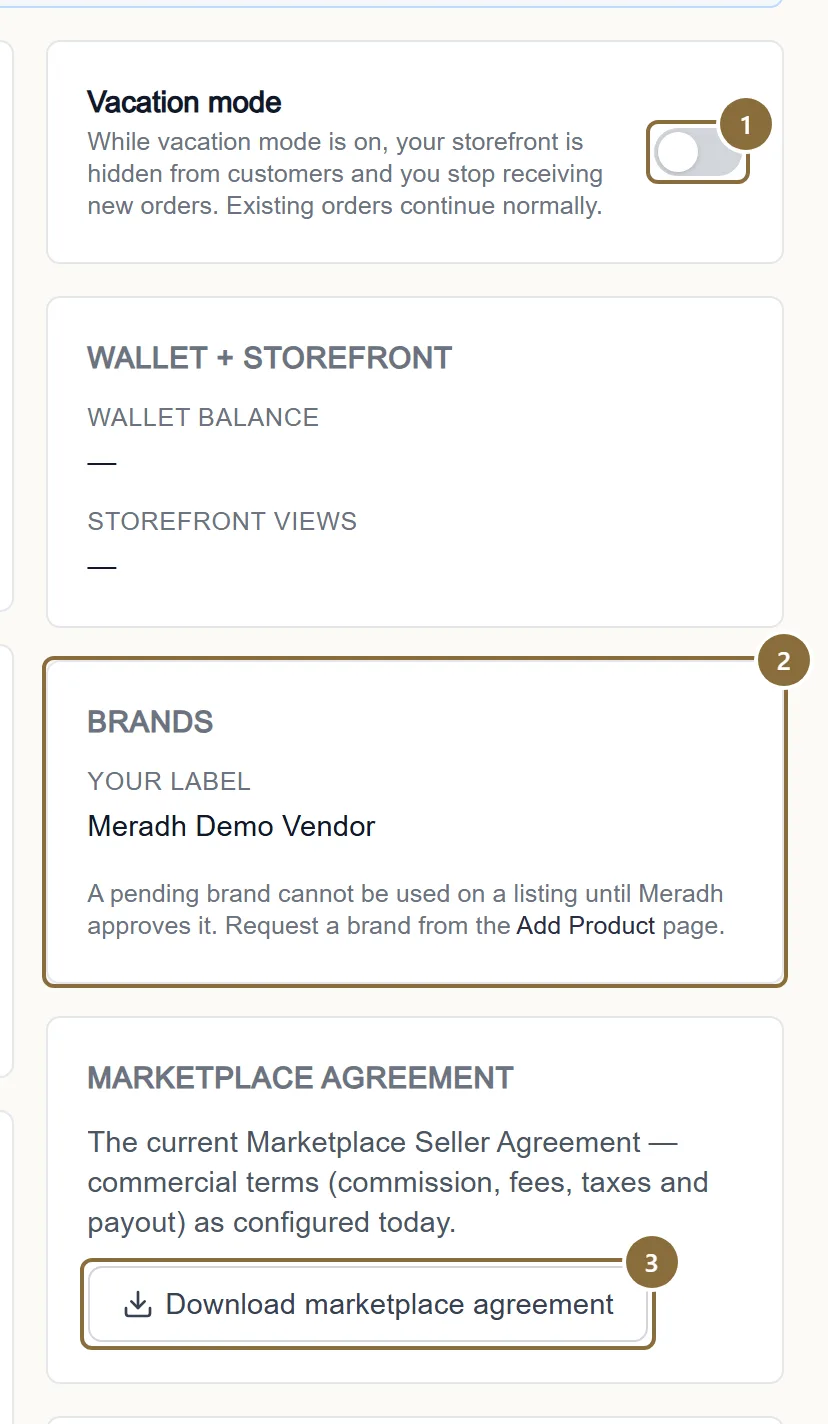
Vacation mode
Confirm with "Yes, go on vacation".
Brands
Status of every brand you can list under.
Download marketplace agreement
The PDF with your commission, fees, taxes and payout rule.
Keep these
Rules and common mistakes
- The brand name is the label customers see; change it with care.
- It is printed above every product and names your label page on the store.
- GSTIN state must match the business address state.
- The first two digits of the GSTIN are the state code; a mismatch is refused.
- Change the pickup address only when the courier accepts it.
- The panel checks the pin code live and registers the address before saving. A refusal changes nothing, so you are never left with an address the courier cannot serve.
- Keep the bank account current before a settlement is raised.
- The settlement copies the account at the moment it is raised; a payout to incomplete details cannot be completed.
- Upload documents as the real thing, under 5 MB.
- A rejected document holds up verification and payouts; the reviewer's note says what was wrong.
In short
Questions sellers ask
- How do I change my password?
- Sign out, press Forgot password on the sign-in screen, enter your mobile number and the code you receive, then a new password. Every other device is signed out.
- How do I change the mobile number I sign in with?
- Raise a ticket under Support. The login number is changed only after verification.
- Does vacation mode cancel my open orders?
- No. Existing orders continue; you must still accept, pack and hand them over. Only new orders stop.
Related guides
Register and get verified
Create the account with your mobile number, confirm it with a code, fill in the four-step verification form, and what each status after that means.
From order to pickup
The order pipeline and its tabs, accepting an order and the parcel prompt, the automatic courier booking and label, tracking, cancellations, returns to seller and the invoice.
Settlements
When a settlement is raised, what it contains, the two statuses you see, reading the breakdown, and the monthly GST report for your accountant.
Getting help
How to raise a support ticket, what to put in it, following the thread, the three ticket statuses, and the grievance officer route with its timelines.