

On this page
Account · Support
Your tickets
One row per ticket: number, subject, status, priority and when it was opened. Search by subject or message; filter All, Pending, Resolved, Closed.
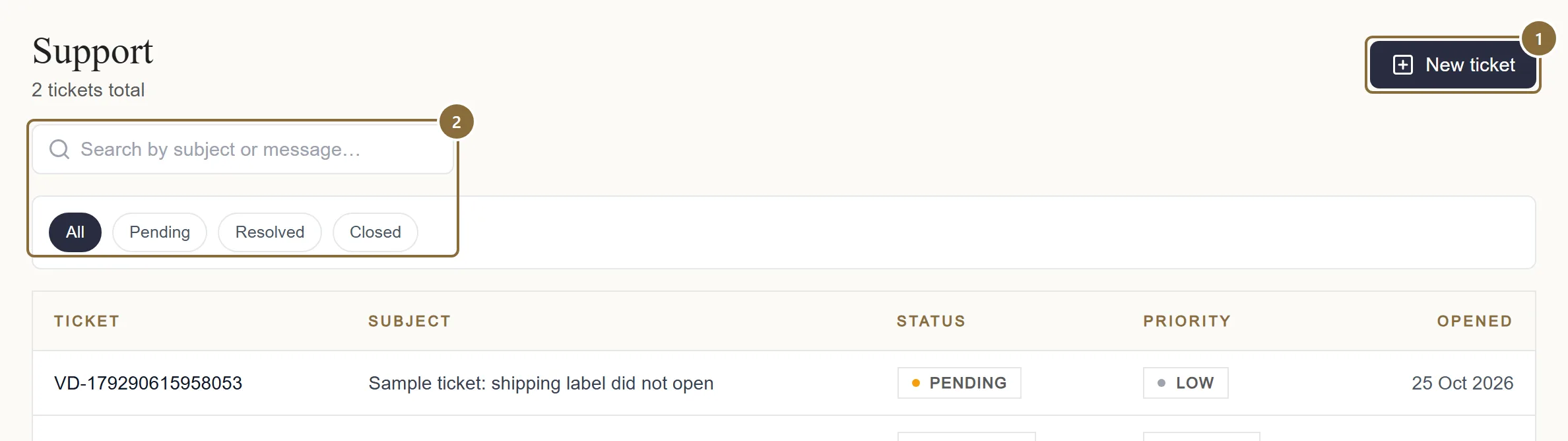
New ticket
Opens the form.
Search and status pills
Pending is open; Resolved was closed by the team with a note; Closed was closed by you or the team.
New support ticket
Raise a ticket
Say what is going wrong so the team can help quickly.
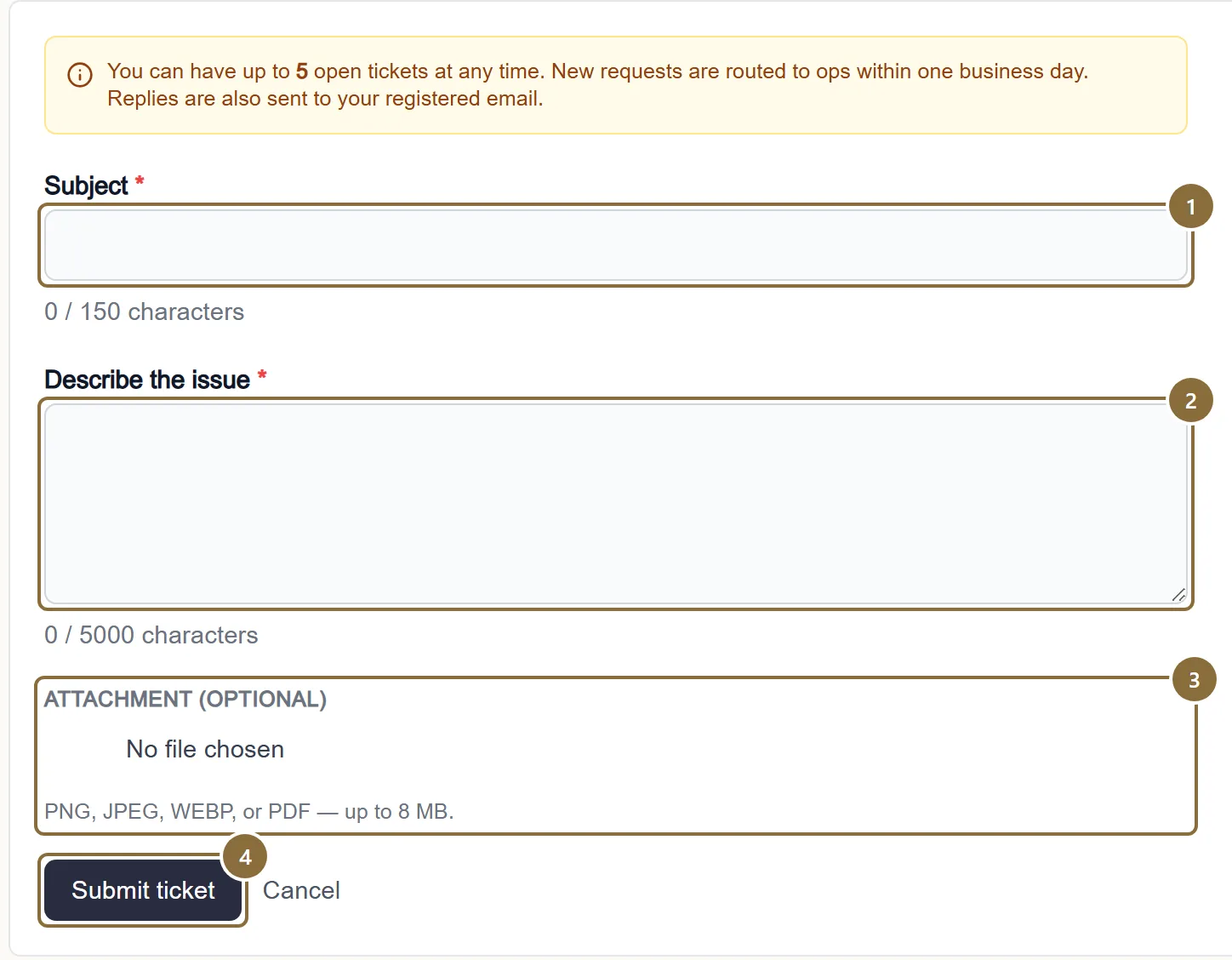
Subject
5 to 150 characters. Put the reference in it: the order number, the settlement number or the product name.
Describe the issue
20 to 2,000 characters. What you did, what you expected, what happened, and when.
Attachment (optional)
One file: PNG, JPEG, WEBP or PDF, up to 8 MB. A screenshot of the error is the most useful thing you can send.
Submit ticket
You get a ticket number in the form VD-… and the ticket appears as Pending.
Ticket VD-…
Follow the thread
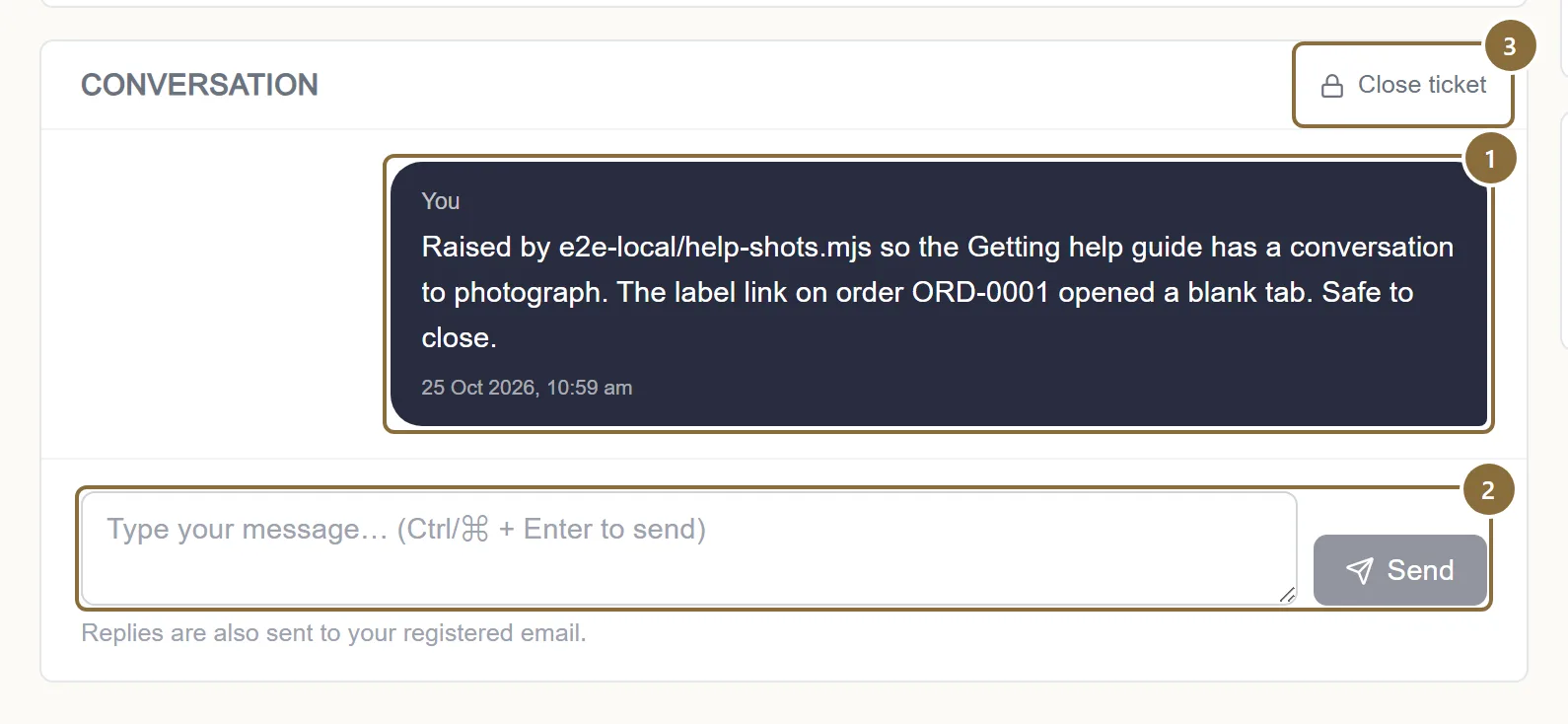
The ticket page shows the subject, your attachment, the conversation as bubbles labelled You and Support team, and the timestamps. Type in the box at the bottom and press Send (or Ctrl/⌘ + Enter); replies are text only, up to 2,000 characters. Close ticket ends it from your side.
Conversation
Newest at the bottom. A Resolved ticket ends with the team's note.
Message box and Send
Only a Pending ticket accepts replies. A closed one says "Open a new ticket to continue."
Close ticket
Asks you to confirm.
Legal · Grievance Redressal
The grievance route
If a ticket does not resolve the matter, write to [email protected], and to escalate, to the Grievance Officer at [email protected] or on +91 98251 19948, Monday to Friday, 10:00 to 18:00 IST, excluding public holidays. Include your seller ID, the order or settlement reference, a description and any documents.
A grievance is acknowledged within 48 hours and ordinarily resolved within one month. For a settlement or payment dispute, raise a ticket with the settlement reference first; Meradh reviews it and shares the breakdown.
Keep these
Rules and common mistakes
- One issue per ticket, with its reference in the subject.
- Tickets are read by reference. Three open tickets is the limit, so keep each one to one matter.
- Attach the screenshot of the error, not a photo of the screen.
- The exact text of a message is what the team searches for.
- Do not reopen a closed ticket by email; open a new one.
- A closed thread no longer accepts replies, and a new ticket is routed at once.
In short
Questions sellers ask
- Will I be emailed when the team replies?
- Check the ticket in the panel; the thread is the record. The Opened and Last update timestamps show when something changed.
- What can only be done through a ticket?
- Changing the login mobile number or email, taking a product down entirely, disputing a settlement, and anything the panel refuses with a message you do not understand.
Related guides
Profile and pickup address
The sections of the Profile page, the business name customers see, how a pickup address change is checked with the courier before it is saved, bank details, documents, vacation mode, brands and the agreement.
Settlements
When a settlement is raised, what it contains, the two statuses you see, reading the breakdown, and the monthly GST report for your accountant.
From order to pickup
The order pipeline and its tabs, accepting an order and the parcel prompt, the automatic courier booking and label, tracking, cancellations, returns to seller and the invoice.
How selling on Meradh works
Who can sell, the five stages from registration to settlement, what the store does for you at each one, and the few things that stay with you.