

On this page
Before you apply
Who Meradh is for
Anyone with good products. Units that manufacture and want to sell under their own name instead of someone else's label; labels that design and have a collection and their own photographs; clusters that weave or embroider pieces with a provenance; and brands already selling elsewhere who want a store that treats their pieces as luxury. Size is not a condition. Quality is.
The store's sections today are lehenga cholis, gowns, kurta sets, sarees, salwar suits, and kurtas and kurtis. If your collection sits in one of them, list it. If you make something outside them, write to us all the same: the store adds sections as its sellers bring them.
Every seller begins with a conversation, because a person sets you up, not a form. Write or call with your name, your city, what you make and a few photographs, and someone from the team gets back to you. Commercial terms are shared with you during onboarding, before your first listing goes live, and the signed agreement is yours to download from your Profile.
Stage 1
Register and get verified
You create the account with your mobile number and a password, confirm the number with a one-time code, and then fill in a four-step verification form: your business, the owner and their documents, the pickup address, and the bank account. Our team reviews it and activates the account.
Have these ready: the owner's PAN and Aadhaar, your GST registration, a cancelled cheque or passbook page for the payout account, and the address the courier will collect from. The full walk-through is in Register and get verified.
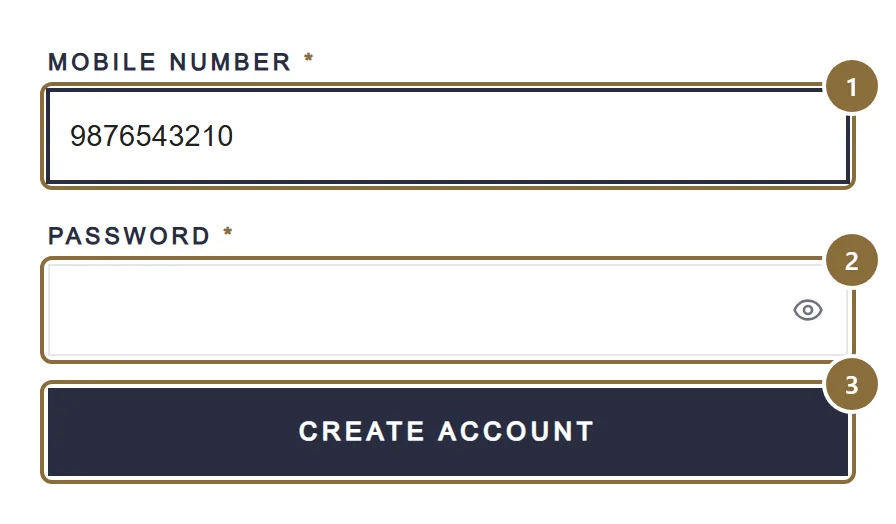
Mobile number
Your login from now on. A code is sent to it to confirm it is yours.
Password
At least 8 characters with an uppercase letter, a lowercase letter, a number and a symbol.
Create account
Sends the code. The verification form opens once it is confirmed.
Stage 2
Build your catalogue
List pieces one at a time with their colours, sizes, stock and your own photographs, or download the Excel template for a category and import a whole range from one file. Every new listing is checked by our team before it goes live, and you see its status under Products while it waits.
Each colour gets its own photos, each size its own stock and price. The courier needs the packed parcel's weight, so you give it once per product.
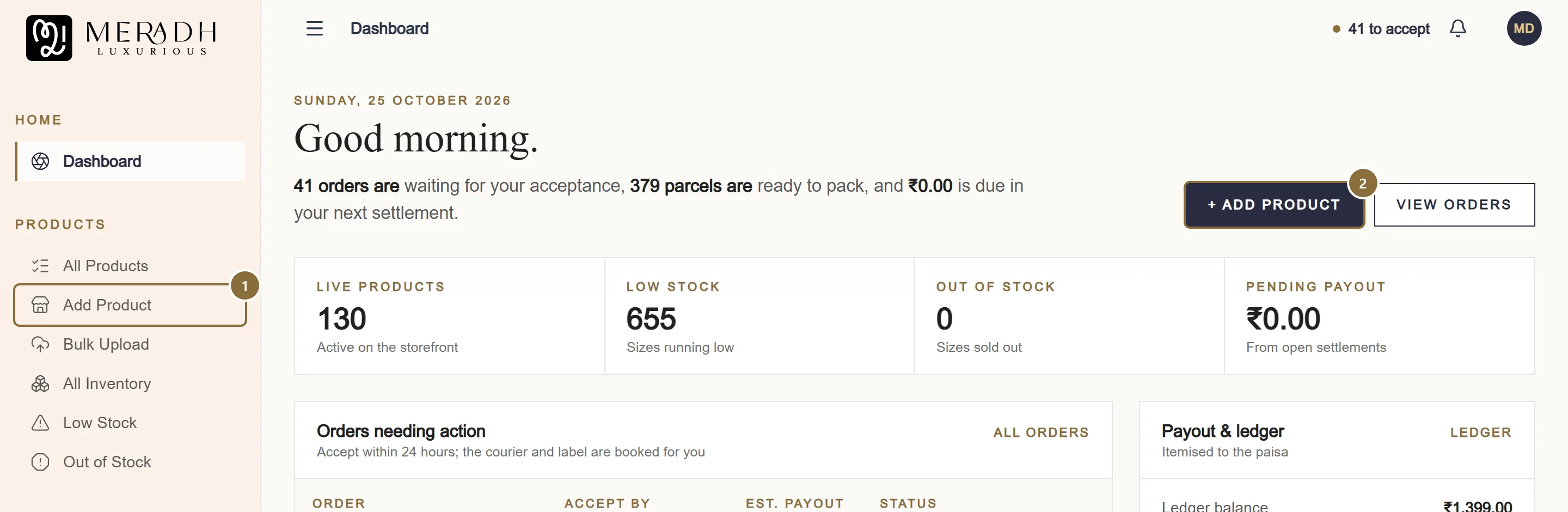
Add Product
One piece at a time. See Add a product.
Add Product button
The same screen from the dashboard. Bulk Upload, for a whole range from Excel, sits just below in the sidebar.
Stage 3
Ship without paperwork
When a customer orders, the order appears under Orders with a deadline to accept it. You accept, pack, and hand the parcel to the courier. The courier, the pickup and the shipping label are assigned for you; you never choose a logistics partner or negotiate a rate. Tracking flows back to you and to the customer automatically.
What stays with you: accept within 24 hours, hand over within two business days of the order, secure tamper-evident packaging with the platform's invoice and label inside, and someone reachable at the pickup address during the day.
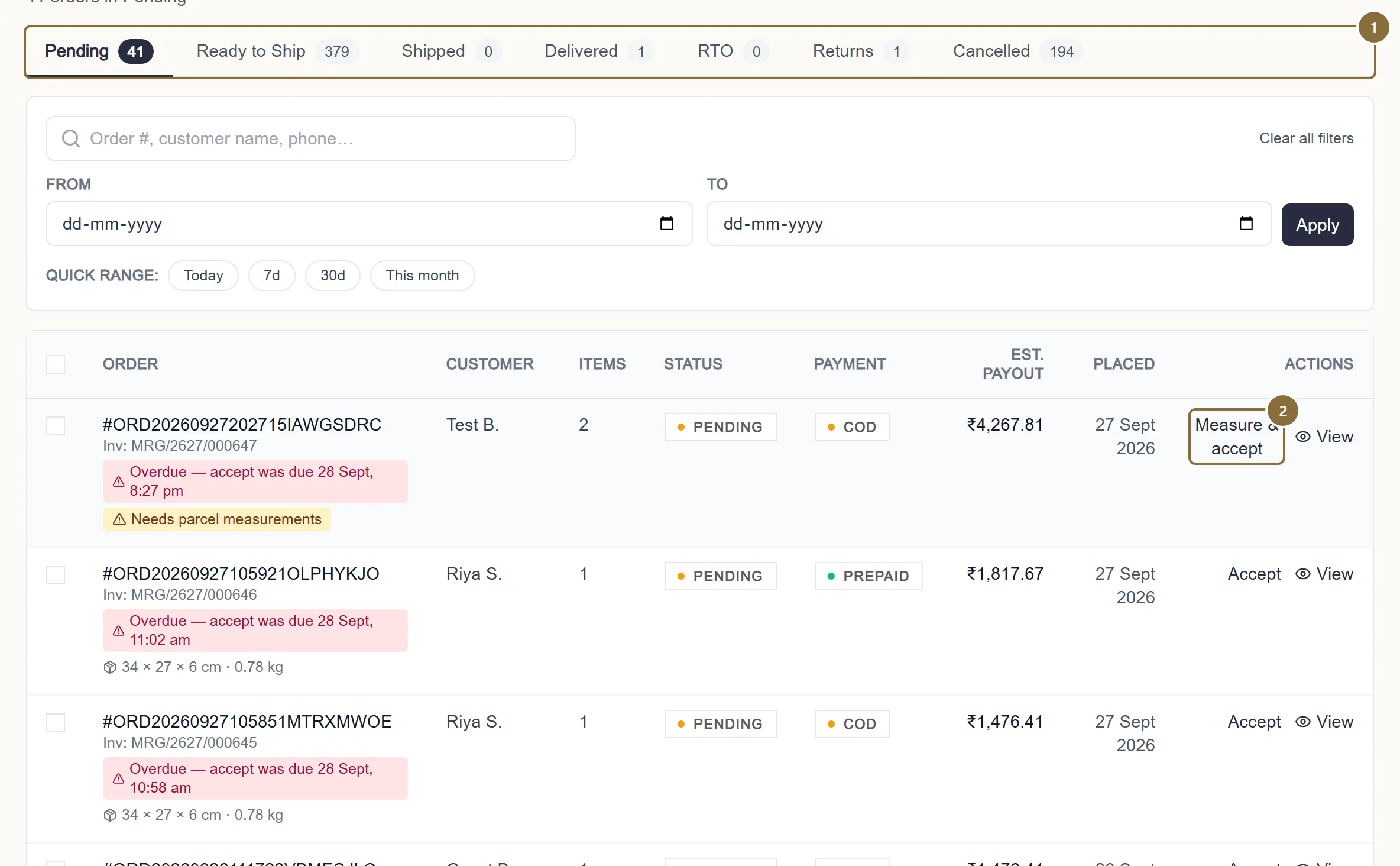
Pipeline tabs
Orders move left to right: waiting for you, packed, shipped, delivered.
Accept
Starts the courier booking. The panel asks for the parcel size if the product does not have it yet.
Stage 4
Returns and exchanges
A customer can ask for a return or exchange within the return window for the category, counted from delivery (the returns policy page states seven days), with the piece unused and its tags and packaging intact. The reverse pickup is booked by the platform's courier at no cost to the customer; you do not arrange anything.
Requests land in one queue under Returns & Exchanges, where you approve, reject or offer an exchange line by line. A returned piece is restocked automatically once it reaches you in acceptable condition; if the customer damaged it, you say so in the same screen.
Stage 5
Settle transparently
Every order is settled through the platform, not on trade credit: no 90-day or 180-day udhaar. Your ledger shows each order itemised, gross value, the agreed commission, fees and taxes, before any payout is raised, and settlements carry GST-compliant invoices, credit notes for refunds and a monthly report ready for your GST filing.
Settlements are raised automatically seven days after an order is delivered, once the customer can no longer send it back. A returned or cancelled item is left out.
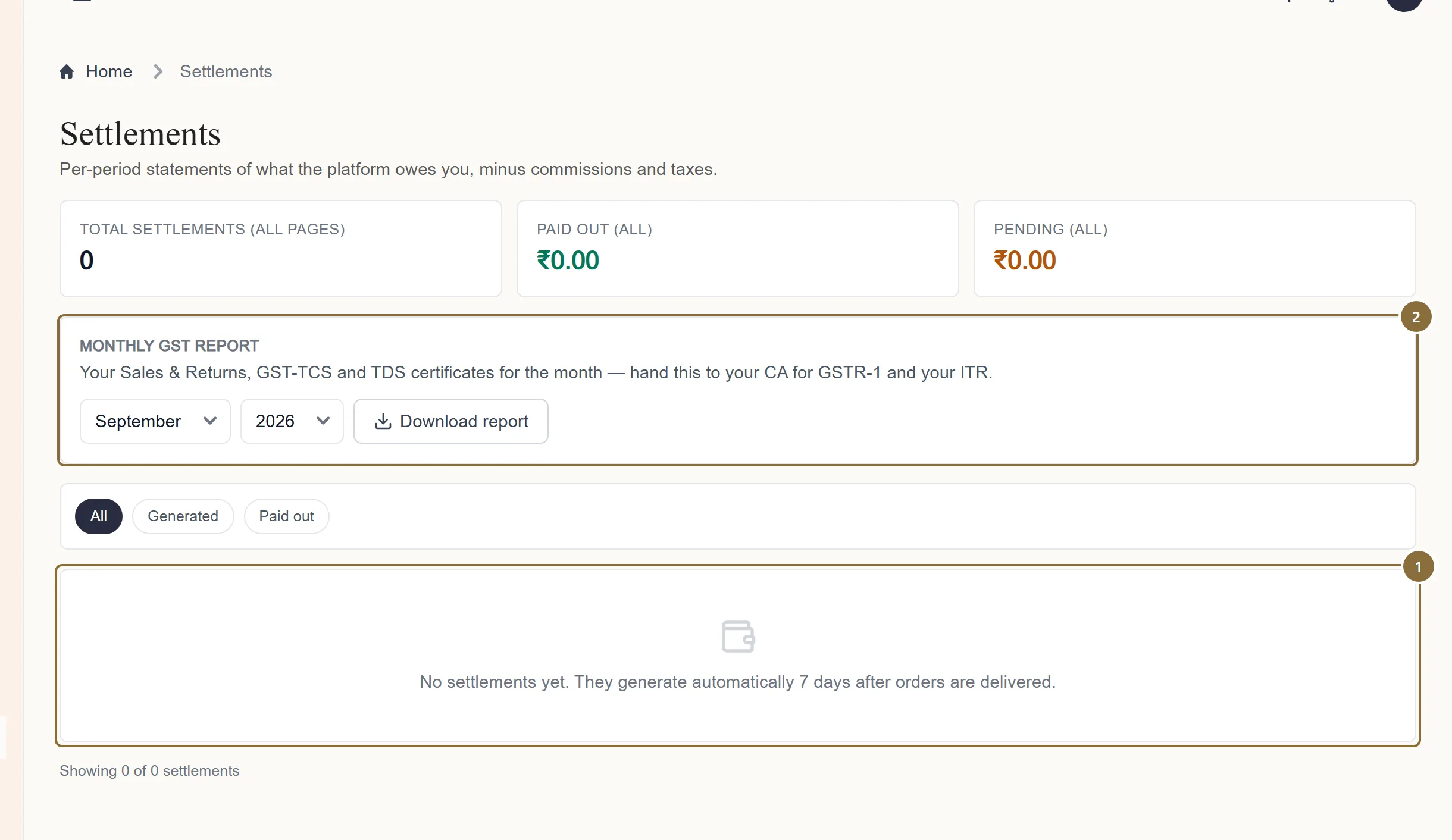
Settlements
One statement per settlement, with its invoice. See Settlements.
Monthly GST report
Your sales for the month in the shape your accountant needs.
Afterwards
What happens next
Your own page on the store
Every seller has a page on meradhluxurious.com under their own name, with their own introduction and only their pieces. The business name you register is the label customers see; the store never puts its name in front of yours.
The customer's trust works for you
Every listing is checked before it goes live and every parcel is tracked, so a customer who buys from one seller on Meradh learns to trust all of them. That trust is the reason the store asks for honest photos, correct names and on-time dispatch: it is what brings the second order, and the second order is yours.
A person answers
Raise a ticket from Support in the panel and a person from the team replies in the same thread. For anything unresolved there is a grievance route, acknowledged within 48 hours; see Getting help.
Keep these
Rules and common mistakes
- Dispatch within two business days of the order.
- Sundays and public holidays do not count. An order not dispatched in time can be cancelled automatically and counts against your performance.
- Never mark an order shipped before the courier has the parcel.
- The customer sees the status change. A parcel marked shipped and still on your table is the complaint we hear most.
- Pack securely, tamper-evident, with the platform's invoice and label inside.
- Damage in transit caused by poor packaging is the seller's responsibility.
- Keep someone reachable at the pickup address during the day.
- The courier calls the pickup number. A missed pickup delays the order and can cost the sale.
- Photograph the real piece yourself.
- Catalogue or stock images that are not the garment you ship are a reason for a listing to be rejected and for a return to be upheld.
In short
Questions sellers ask
- What does Meradh look for in a seller?
- Good products and straight dealing: your own photographs of the real piece, names that say what the piece is, and stock you can ship within two business days of an order. A small unit and an established brand are welcome alike.
- Do I have to be a well-known brand?
- No. Most sellers on the store are independent labels and manufacturers selling under their own name for the first time. What you need is a collection you are proud of.
- I manufacture, but I do not have a brand name yet. Can I still sell?
- Yes. Register under your business name; it becomes your label on the store. If you would rather trade under a new name, that can be decided together during onboarding.
- What are the commercial terms?
- They are shared with you during onboarding, before your first listing goes live, and the signed seller agreement is downloadable from your Profile page afterwards.
- Do I need a GST registration to start?
- Yes. The verification form asks for your GST number and the registration certificate, together with the owner's PAN and Aadhaar and a bank proof.
- Who handles shipping?
- The platform. The courier is selected, the pickup booked and the label generated for you. Tracking is sent to you and to the customer.
- How do returns work?
- Customers have seven days from delivery. Requests come to one queue in your panel, where you approve, reject or offer an exchange line by line.
- What do you need from my photographs?
- Your own photographs of the actual piece, clear and well lit. Any shape is accepted; the storefront shows the full frame without cropping.
Related guides
Register and get verified
Create the account with your mobile number, confirm it with a code, fill in the four-step verification form, and what each status after that means.
Add a product
The four steps of the Add Product screen: category, details, colours with photos and prices, then review and send for approval.
From order to pickup
The order pipeline and its tabs, accepting an order and the parcel prompt, the automatic courier booking and label, tracking, cancellations, returns to seller and the invoice.
Settlements
When a settlement is raised, what it contains, the two statuses you see, reading the breakdown, and the monthly GST report for your accountant.