

On this page
All Products · row menu
Where the actions are
Each row has a ⋮ menu with three entries.

Inventory
Quantity and price per size, without touching the rest; see Stock and inventory.
Copy
A new draft with this product's words, category and prices, for another colourway. See step 4.
Edit
The full form. Greyed out on a permanently rejected product.
Edit Product
Edit a product
The edit form is one page rather than tabs: details, specifications, packing and the Product Variants section. Change what you need and press Save Changes at the bottom.
Everyday corrections, the descriptions, care instructions, tags, prices and extra photos, apply at once. Changes to what a customer thinks they are buying, the name, the brand, the main photo, the HSN code, the video or a new colour, also apply at once but are flagged for us to look at again.
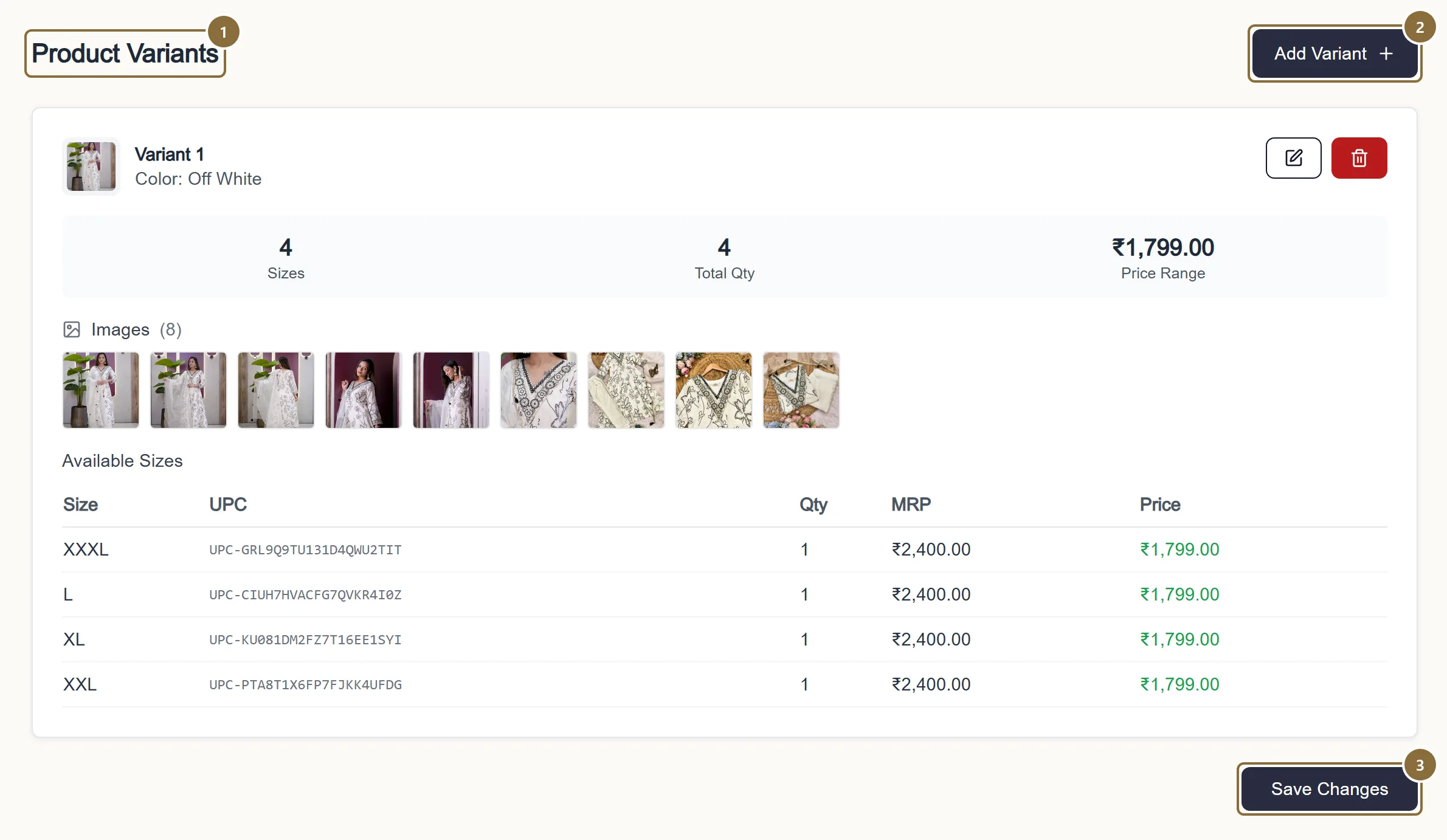
Product Variants
One card per colour with its photos and sizes; see step 3.
Add Variant
A new colour for this product.
Save Changes
Saves everything on the page. Stock for existing sizes is saved separately through the inventory rules; a refused quantity is reported in an amber note while the rest of the save goes through.
Edit Product · Product Variants
Colours and sizes on an existing product
Add Variant adds a colour; each colour needs its own main photo. The pencil on a card edits that colour; the bin removes it.
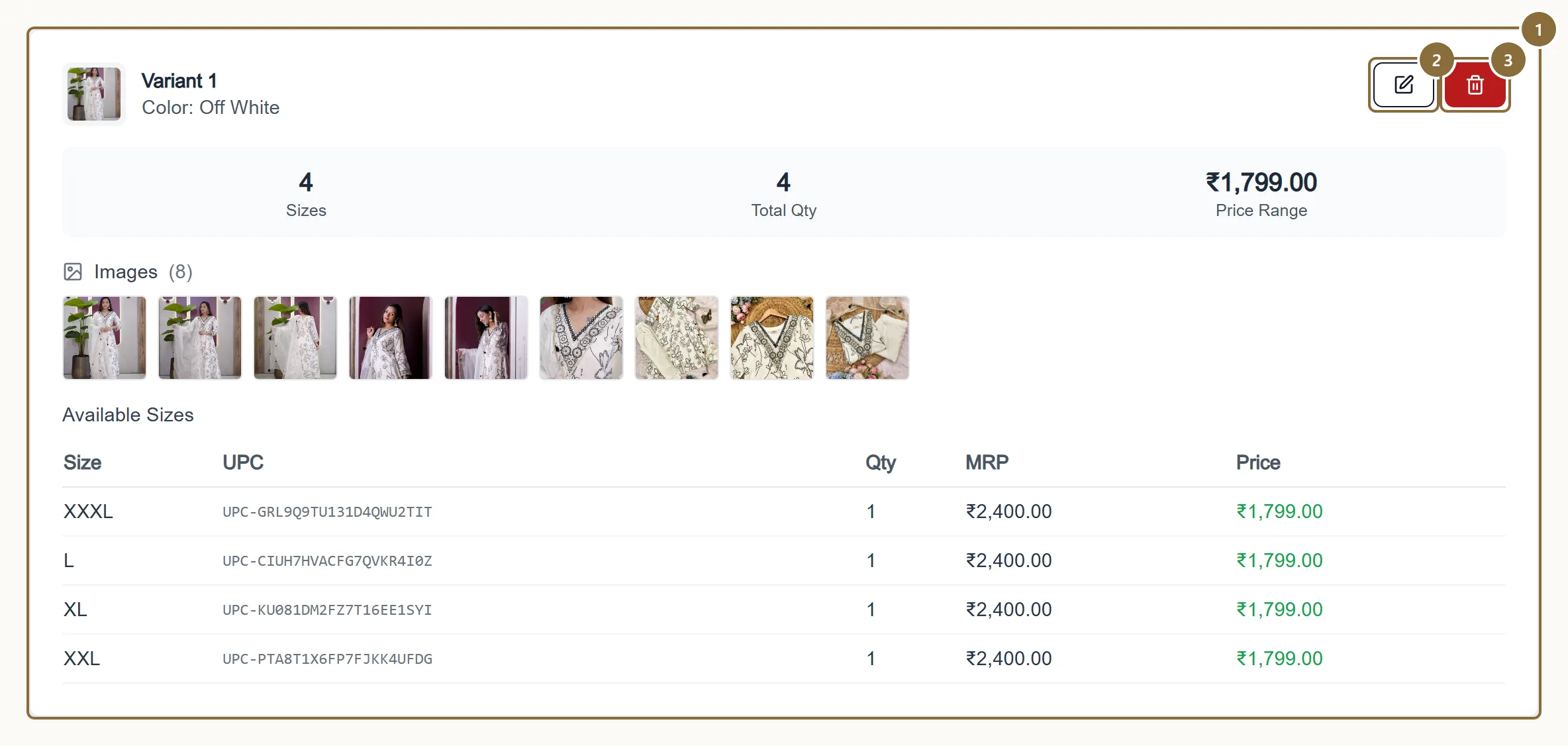
Variant card
One colour: its photos and the sizes with their stock and prices. A colour that already exists on the product cannot be added twice.
Edit a colour
Replace photos, add or remove sizes, change prices. New sizes take an opening stock.
Remove
Hides the colour from sale. Refused while units are reserved for orders in progress, and a product must keep at least one size.
All Products · row menu · Copy
Copy for a new colourway
Copy makes a draft, never a product. It carries the name with "(copy)" added, the descriptions, category, HSN, tags, care instructions, attributes, and the first colour's sizes and prices. It has no colour, no photos and no stock: you choose the new colour, add its photos, type the stock, give it its own name, and submit for approval like any new product.
The draft opens on the Details tab of Add Product. It also appears under "Finish what you started" on All Products until you submit or delete it.
Inventory
Stop selling a piece
There is no delete and no "take off sale" switch in the seller panel. To stop selling a piece, set every size to 0 on its Inventory page: the card shows Sold Out, the sizes cannot be added to a bag, and the product comes back the moment you restock.
To stop selling one colour or one size, remove that variant or size from the edit page, provided nothing is reserved for an order. If a product must come down entirely, raise a ticket under Support and we deactivate it.
Afterwards
What happens next
Live product
Stays Active. Flagged changes are reviewed in the background; you are not blocked.
Under Review or Rejected product
Returns to Under Review on save. The reviewer's earlier note stays visible until the next decision.
Permanently Rejected
Cannot be edited. Raise a ticket if you think the decision is wrong.
Keep these
Rules and common mistakes
- Fix a typo in a live title straight away; it does not take the product down.
- Edits to live products apply at once. Only material changes are flagged, and even those keep the product on sale.
- A new colour is a new variant, not a renamed one.
- Once a colour has been ordered its name is locked, because customers' orders refer to it.
- Set stock to 0 to pause a size; remove it only when nothing is reserved.
- Removal is refused while orders are in progress, and the product must keep one size.
- Give a Copy its own name before you submit.
- "(copy)" is a placeholder, and names are unique per seller.
- Reload before re-saving if the save is refused as changed by someone else.
- The product carries a version; a stale save would silently undo the other change.
Related guides
Add a product
The four steps of the Add Product screen: category, details, colours with photos and prices, then review and send for approval.
Stock and inventory
The All Inventory editor, the per-product inventory page, the Low Stock and Out of Stock lists, marking a size out of stock, and what stock does on the storefront.
Listing standards
How to name a product, what the descriptions must contain, what the storefront adds for you, and the reasons a listing is sent back or disapproved by Google Shopping.
Product photos
Formats and size limits, how many photos each colour takes, how the storefront crops them, what to shoot for a saree or a lehenga, and the optional product video.